
Run the demo project
The demo project contains every example page and the project configuration. Import it from the DCloud plugin market and it runs right away, with no license purchase. If you only want to see the components before installing anything, start with Demo.
- GitHub: github.com/anyup/hello-uview-pro-x-uts
- Gitee: gitee.com/anyup/hello-uview-pro-x-uts
- Live demo: h5-uts.uviewpro.cn
Prerequisites
| Item | Requirement |
|---|---|
| Editor | HBuilderX (stable, supports uni-app x) |
| Optional | WeChat / Alipay Mini Program DevTools (mini programs), an Android device or emulator (App) |
Import the demo from the plugin market
The demo project is published on the DCloud plugin market, so it runs right after import with no extra configuration and no license purchase.
- Open DCloud Plugin Market · uView Pro X.
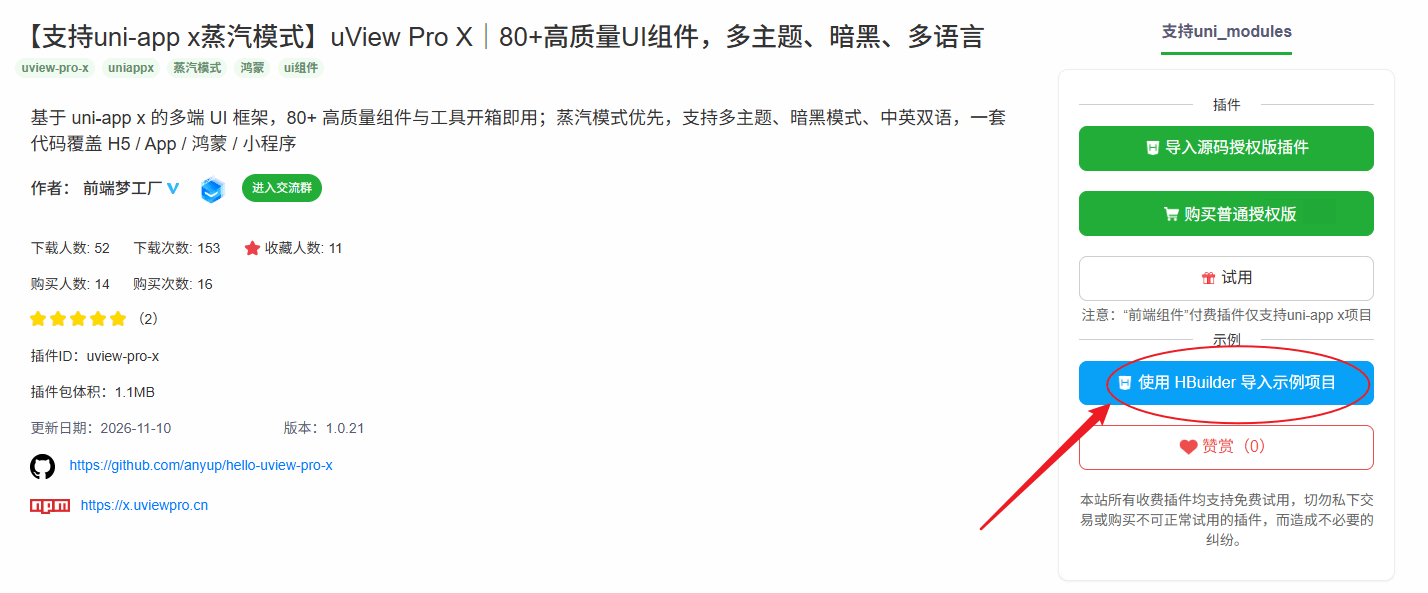
- Click "Import the demo project with HBuilderX" and choose an empty directory or an existing project directory as the import location.
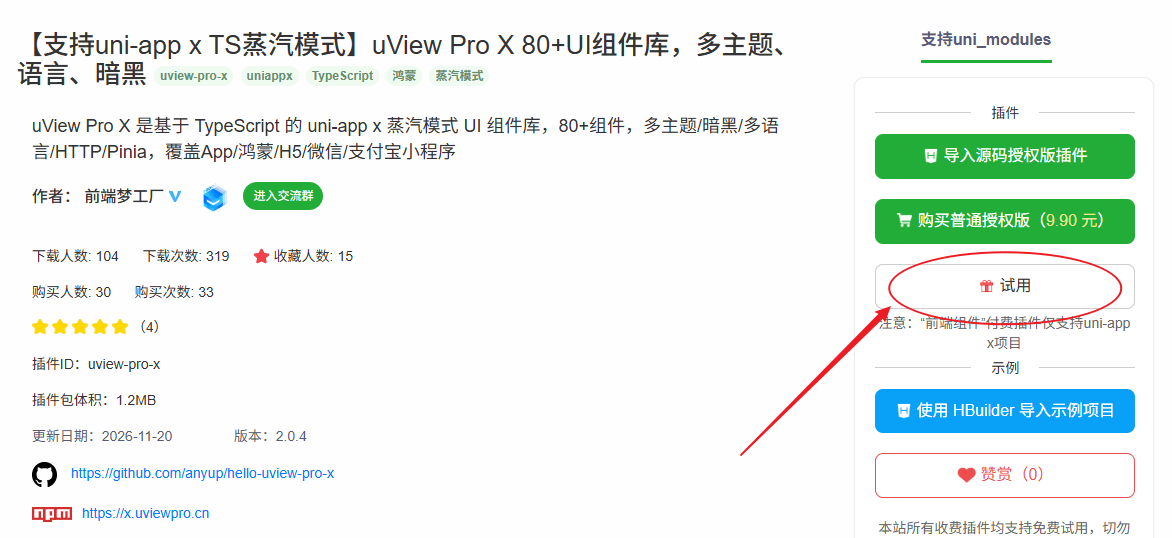
- On the plugin page, click "Trial" and select the demo project you just imported to bind the plugin to it. No license purchase is needed just to run the demo:
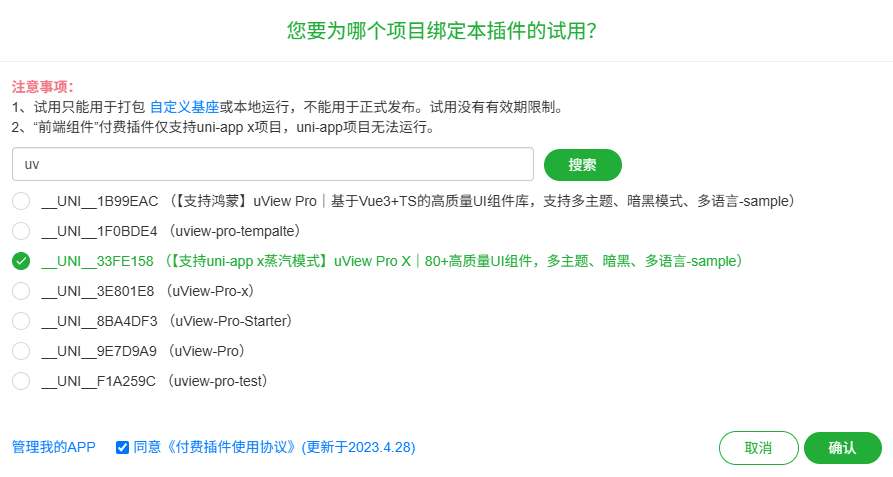
- Back in HBuilderX, pick a target platform from the "Run" menu (H5, for example) and the demo project opens.
Run on each platform
With the project open in HBuilderX, pick a target platform from the "Run" menu. In trial mode only H5 works; App and mini programs need a purchased license:
| Platform | Action | Notes |
|---|---|---|
| H5 | Run → Run to browser | Defaults to http://localhost:9010; fastest way to browse all example pages |
| WeChat Mini Program | Run → Run to mini program simulator → WeChat DevTools | Fill in the Mini Program appid in manifest.json and set the WeChat DevTools path in HBuilderX |
| Alipay Mini Program | Run → Run to mini program simulator → Alipay Mini Program IDE | Fill in the Mini Program appid in manifest.json and set the Alipay Mini Program IDE path in HBuilderX |
| App | Run → Run to phone or emulator | Connect an Android device with USB debugging, or start an emulator; the first build is slow |
Notes
- The trial only runs on H5 so you can check the result; running on App or mini programs requires a purchased license. The trial cannot be used for an official release; the trial usually lasts 7 days, check the trial wizard for the exact period.
Troubleshooting
| Symptom | Cause | Fix |
|---|---|---|
Compile error: uview-pro-x-uts not found / component missing | Plugin not imported into the project | Download and import it into the current project from the plugin market |
| Prompted to buy a license | The plugin is not bound to the current project | Click "Trial" on the plugin page and select the current demo project |
SCSS error: $u-type-primary is undefined | uni.scss not configured for the license | Add the $u-* block (normal license) or the @import (source-code license) |
| Error about a default import | import uViewProX from ... is used | Switch to the named import import { uViewProX } from ... |
Add it to your own project
The demo project is for trying things out. Using the components in your own uni-app x project requires a license, and a purchase binds it to apps under your DCloud account. The two licenses compare as follows:
| Edition | Code protection | License | Transaction |
|---|---|---|---|
| Normal license | Part of the source is hidden | Usage rights for this project and/or service space, plus secondary development rights on the unencrypted part | Self-service order, usable immediately; buyer identity stays private from the seller |
| Source-code license | All source code visible | Usage rights for this project and/or service space, full secondary development rights, and security verifiable through source review | Digitally signed tripartite agreement, real-name transaction; the author may decline, and the buyer pays after signing to receive the source |
See Pricing & License for prices and the full tier comparison.
See Quick Start for importing the library, configuring easycom, registering it and setting up the theme.